We have introduced a new approach to treating SSAS Accounts which differs considerably from previous thinking and methods. The new approach ensures compliance with AML requirements.
SSAS arrangements differ materially from the large, regulated pension providers. In a SSAS structure, the members are typically individuals associated with a small or family run business, and act as both beneficiaries and trustees. These individuals, alongside the Corporate Trustee and the Scheme Administrator are directly linked to the operation and control of the pension. Given this direct ownership and control relationship, SS&C has an obligation to:
- Verify the identity and address of the SSAS members and Trustees
- Undertake appropriate due diligence on the associated employer/business
- Conduct a risk assessment of the scheme and its participants
- Ensure the Pension Administrator is appropriately regulated.
During the Account opening process SS&C will perform full AML verification on all new SSAS Product Providers introduced to the Platform.
For Limited Company Employers SS&C will obtain standard corporate documentation including:
- Certificate of Incorporation
- Articles of Association
- Companies House checks to confirm registration details and identify key officers/PSCs
- Verification of the pension administrator’s regulatory status will be completed for each scheme
- Identity verification will be undertaken for all beneficiaries and trustees in line with our standard AML requirements.
NOTE: for those who have worked with SSAS Products before in our Portal, we now have a change of procedure and will no longer be creating Product Codes for SSAS Providers. Please follow the instructions below:
Create Investor Records:
- Start with the ‘Create Investor’ User Journey in the Main menu- using Investor Type ‘Corporate’ and creating the record in the name of the SSAS scheme.
- You can be guided by the SSAS Scheme Trustees and/or members regarding the wording they prefer- but often both the SSAS Provider Name and the Name of the SSAS Scheme will be represented in the “Legal Name” field in the Portal.
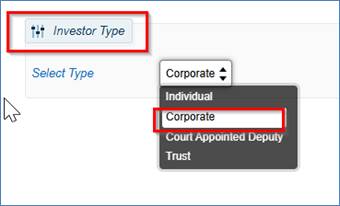
The LEI number of the SSAS Scheme must be completed in all cases.
The Registered Address is that of the SSAS Scheme.
The email address is that of the SSAS Scheme.
Once you have completed the Investor Record Creation then you must next complete the Organisation Details:
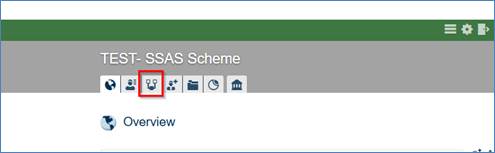
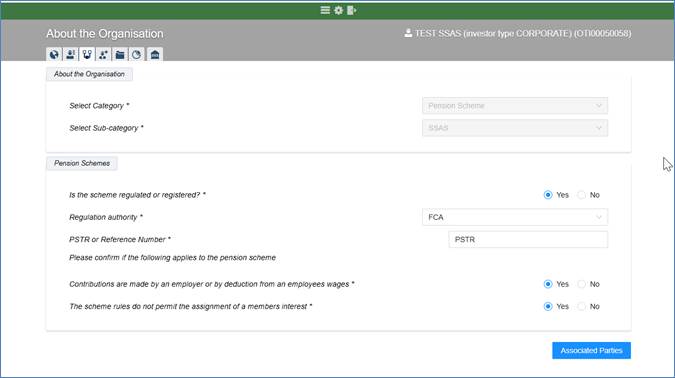
This is where you will link this SSAS record to that of the Corporate Trustee and/or SSAS Product provider - in this example Barnett Waddingham. If you have used Barnett Waddinham previously then you will find them in “Select an existing Investor”:
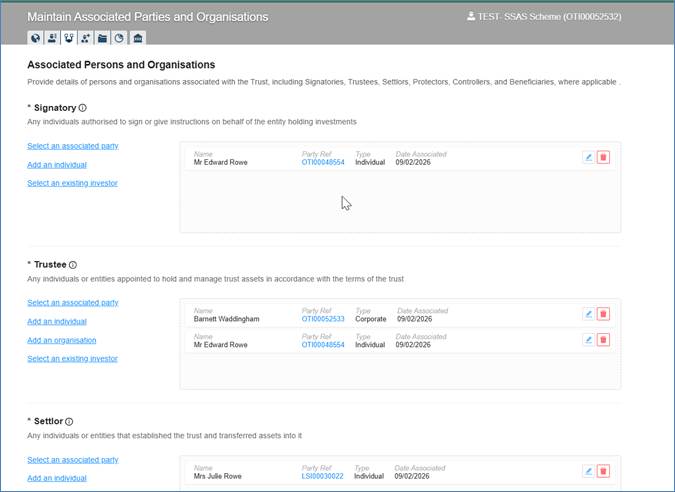
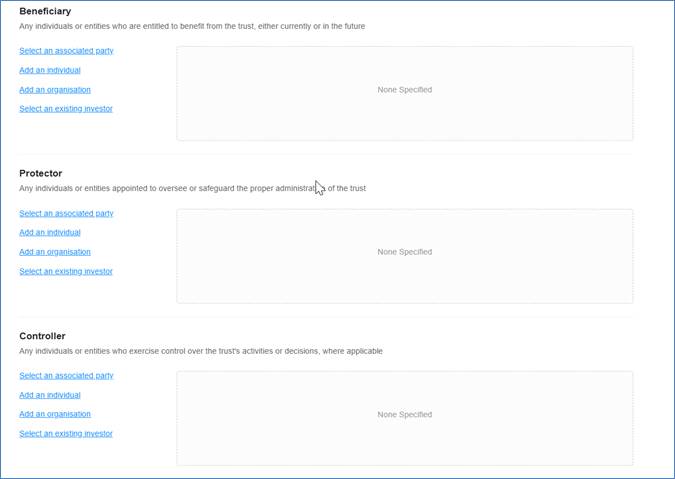
The above are mandatory fields, and you should be guided by the Trust Deed and /or the Corporate Trustee Document if there is one.
The below are non-mandatory fields, but information should be completed where it is available:
Click back to Organisation Details and into Investor Global View, where you can start a new application.


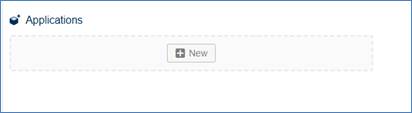
Add New Account- GIA:
Open a new GIA which will be the ‘investment inside’ the SSAS.
Bank details will be those of the SSAS Scheme itself. These will typically be provided to you by the Corporate Trustee or SSAS members.
Follow the standard steps of the Account Opening User Journey and click “Create Account” at the end.
Click through the usual Account Opening User Journey, and Submit the Application:
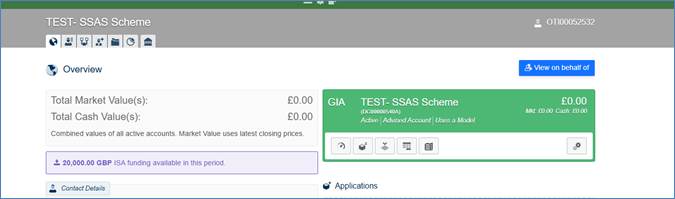
The Account ID (in this example DC00000540A) should be used as a reference when sending in the money for investment- as per standard procedure.
You will need to provide us with:
- Evidence of HMRC or Pensions Regulator Registration- from the HMRC website and/or a printout which includes Scheme Name, PSTR reference or country equivalent.
- Trust Deed or latest Deed of Amendment/Retirement confirming that the Trustee information/ pension administrator is correct.
- Our Financial Crime Team will review this application and will request any supporting documentation as needed.
- You can refer to the Matrix on the Knowledge Base which will indicate which documents will be required in each type of scenario. Helpdesk : Hubwise Customer Services “AML Supporting Documentation – Corporate and Trust Matrix.
We are considering the best options for dealing with existing/old SSASs. We will communicate separately regarding this, but meanwhile your should use this new procedure for opening any new SSASs, regardless of whether they have an old Product Code or not.
Was this article helpful?
That’s Great!
Thank you for your feedback
Sorry! We couldn't be helpful
Thank you for your feedback
Feedback sent
We appreciate your effort and will try to fix the article