We have built dynamic user journeys where you will be presented with relevant fields and requests for information as you open a new Trust or Corporate (including SSASs) Investor Record, and any associated Product Wrapper/Accounts (GIA, Offshore Bond for example).
SS&C Platform Solutions must capture a clear understanding of the Trust/Corporate structure, and the individuals or organisations with controlling functions for AML and KYC purposes. The data fields and required evidence are consistent with industry standards.
Select Corporate or Trust Investor Type, this will change the Investor field from capturing personal first name, surname details to presenting an Entity/Legal Name field:
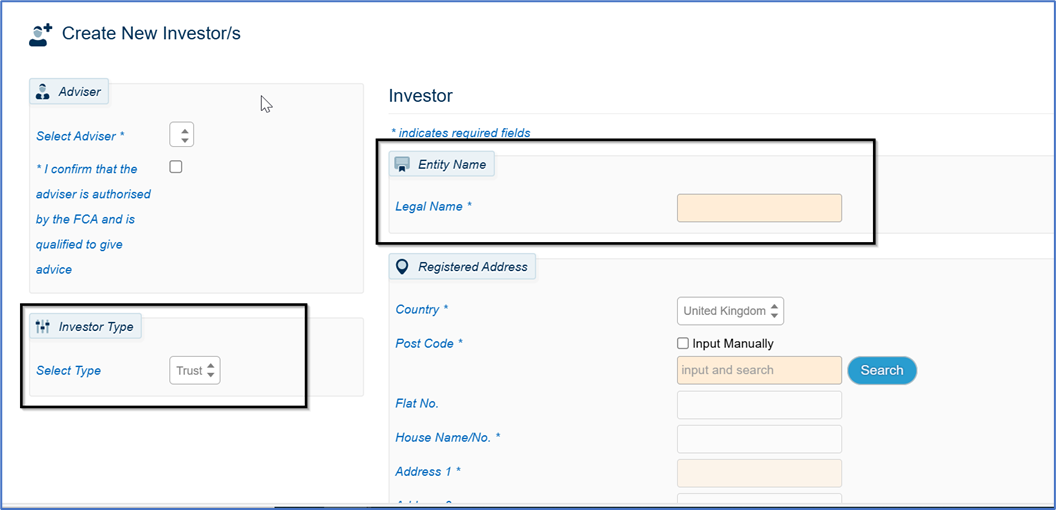
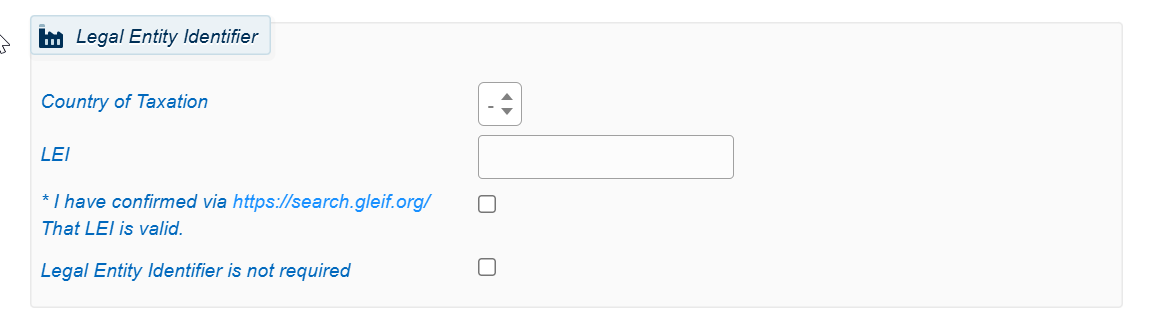
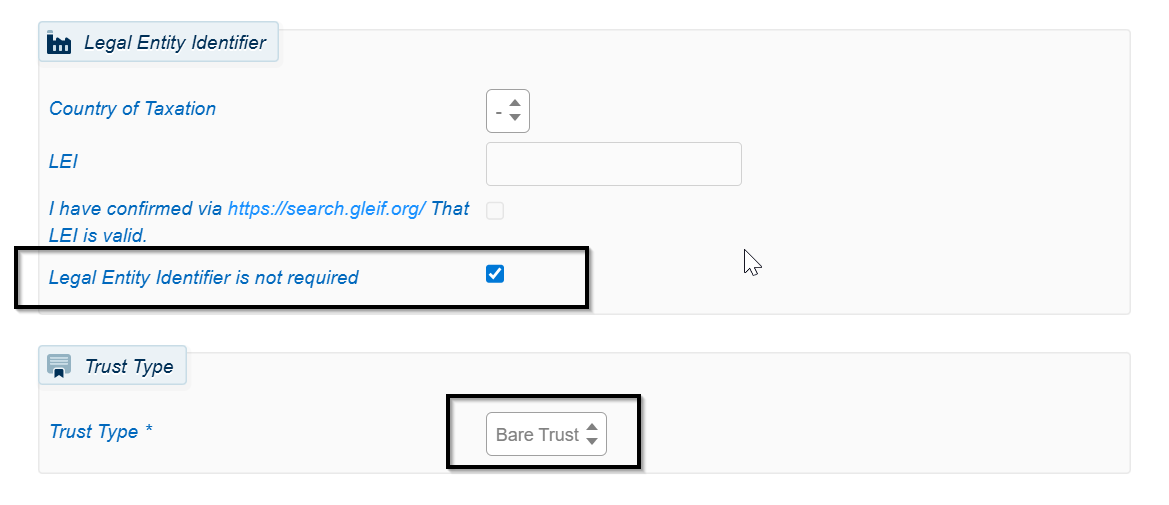
Complete all data entry fields, including the LEI (Legal Entity Identifier). NOTE: Unless the Trust is a Bare Trust, we require the LEI for Transaction Reporting purposes.
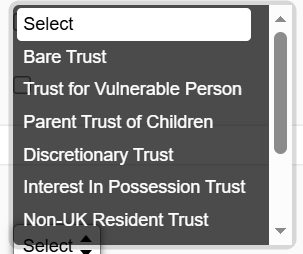
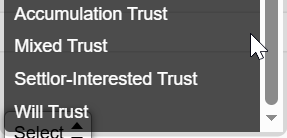
Select the Trust Type from the Dropdown Menu:
If you are working with a Bare Trust, you can tick the box Legal Entity Identifier is not required. In this situation it is the Trustees and their NI details which will be recorded and used for MiFIR Transaction Reporting purposes:
Once you click Create:

You are taken to the Overview Screen where you will see an Organisation Details tab:
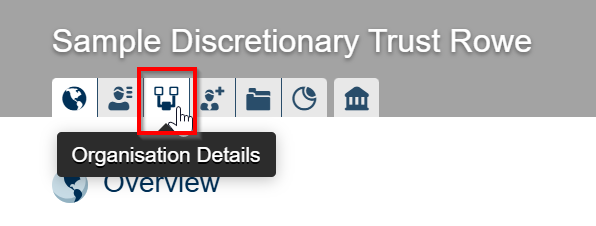
This is where you must complete the required fields of additional data- for example these for a Discretionary Trust. Once the Organisation Category and Sub-Category have been entered, further required fields will be presented and must be completed:
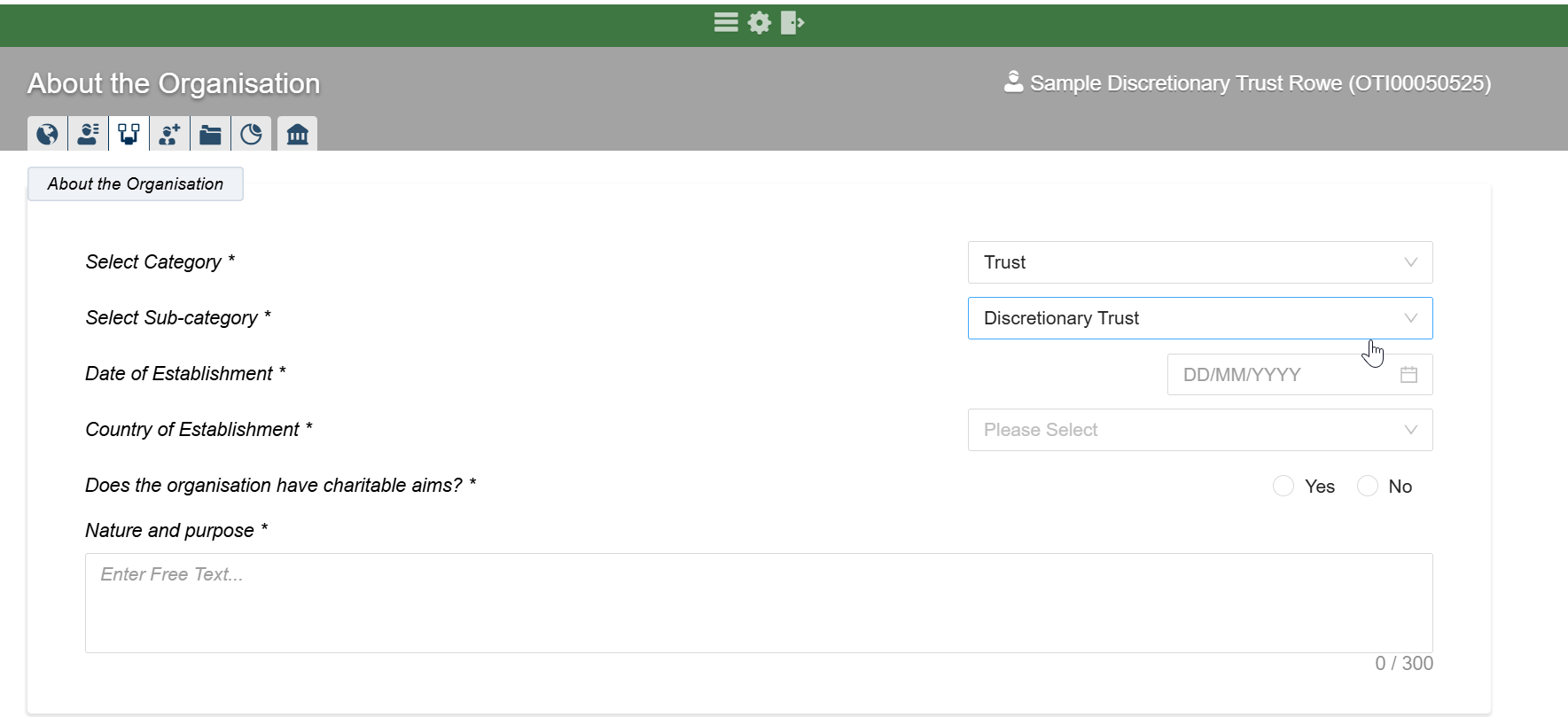
There is a section to capture Charitable aims information see above.
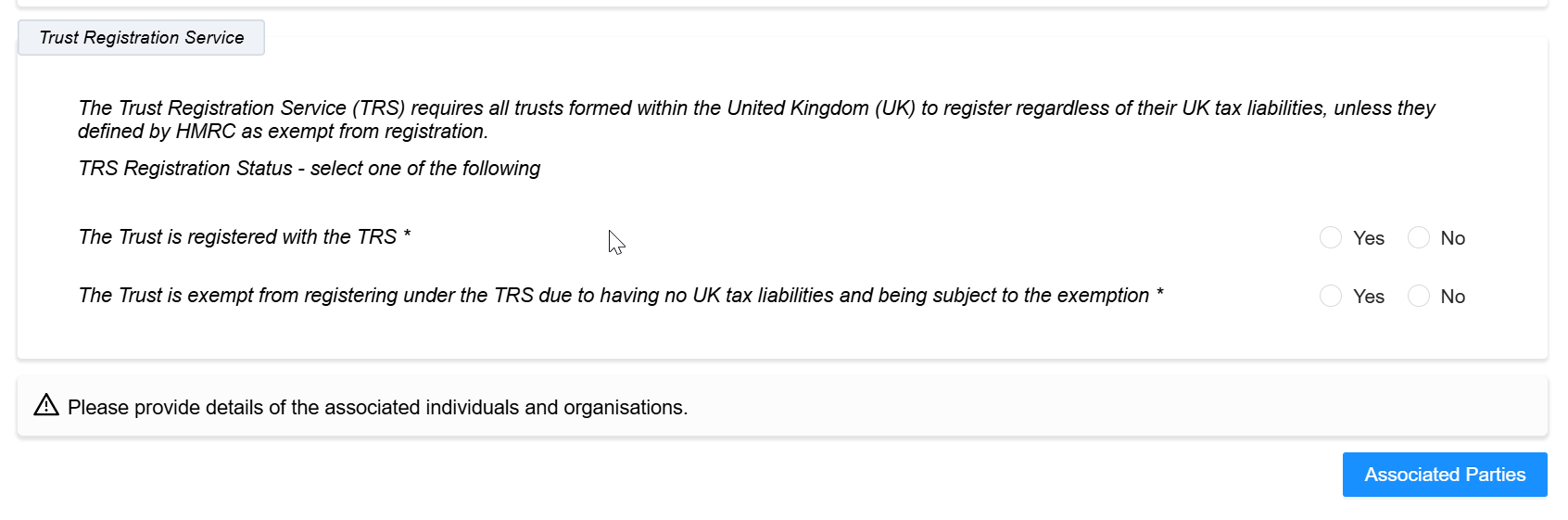
Click the blue Associated Parties box to continue to complete the necessary information.
This information can be keyed in, using “Add an individual or Organisation” or you can select an existing investor record or associated party which already has a Record in the Portal, if appropriate- see screenshots below.
(Not all fields are mandatory- a tool tip next to the Associated Persons headings highlights this).
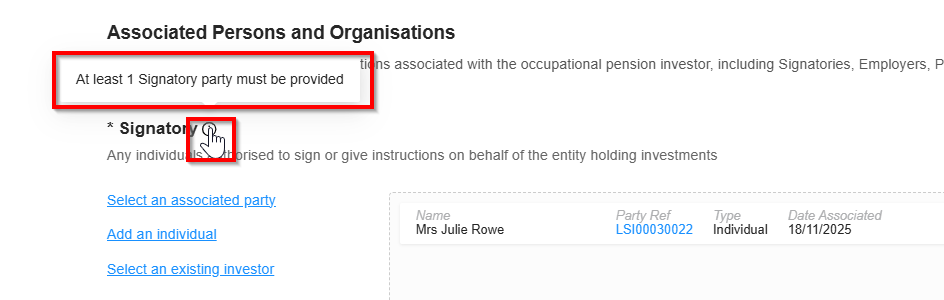
An individual could have multiple role types and can therefore be added under multiple sections.
The information entered here will define the evidence which is required for AML/KYC verification. The requirements here will vary depending on whether the individual(s) are already on the Portal or not.
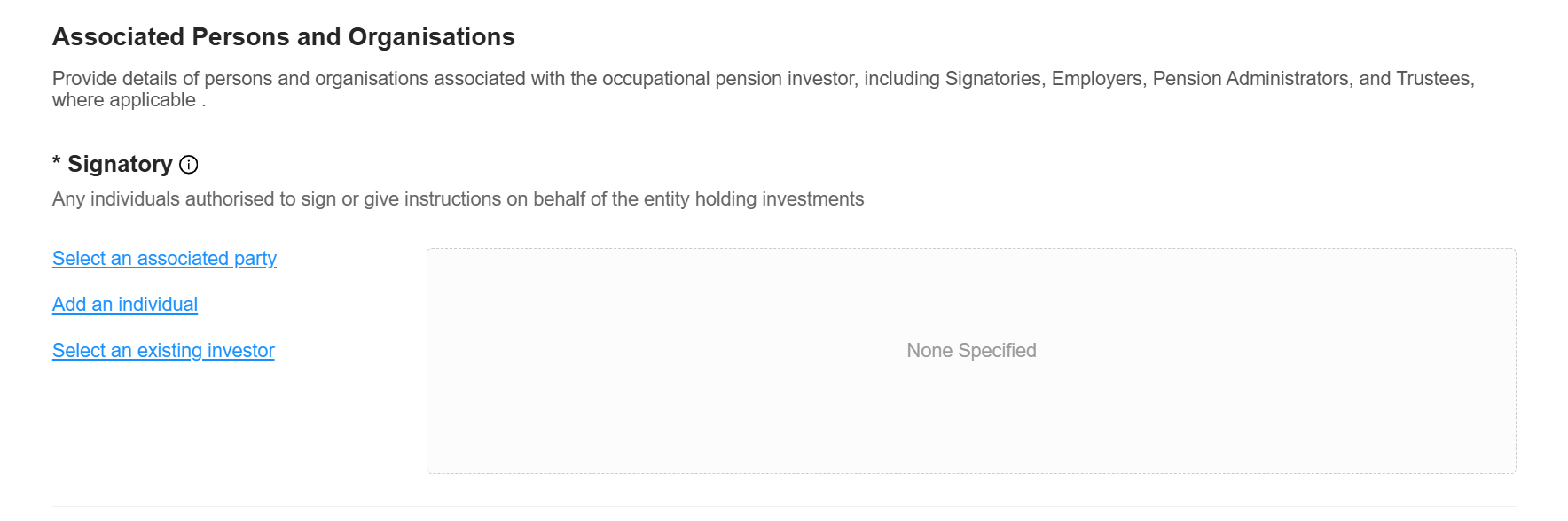
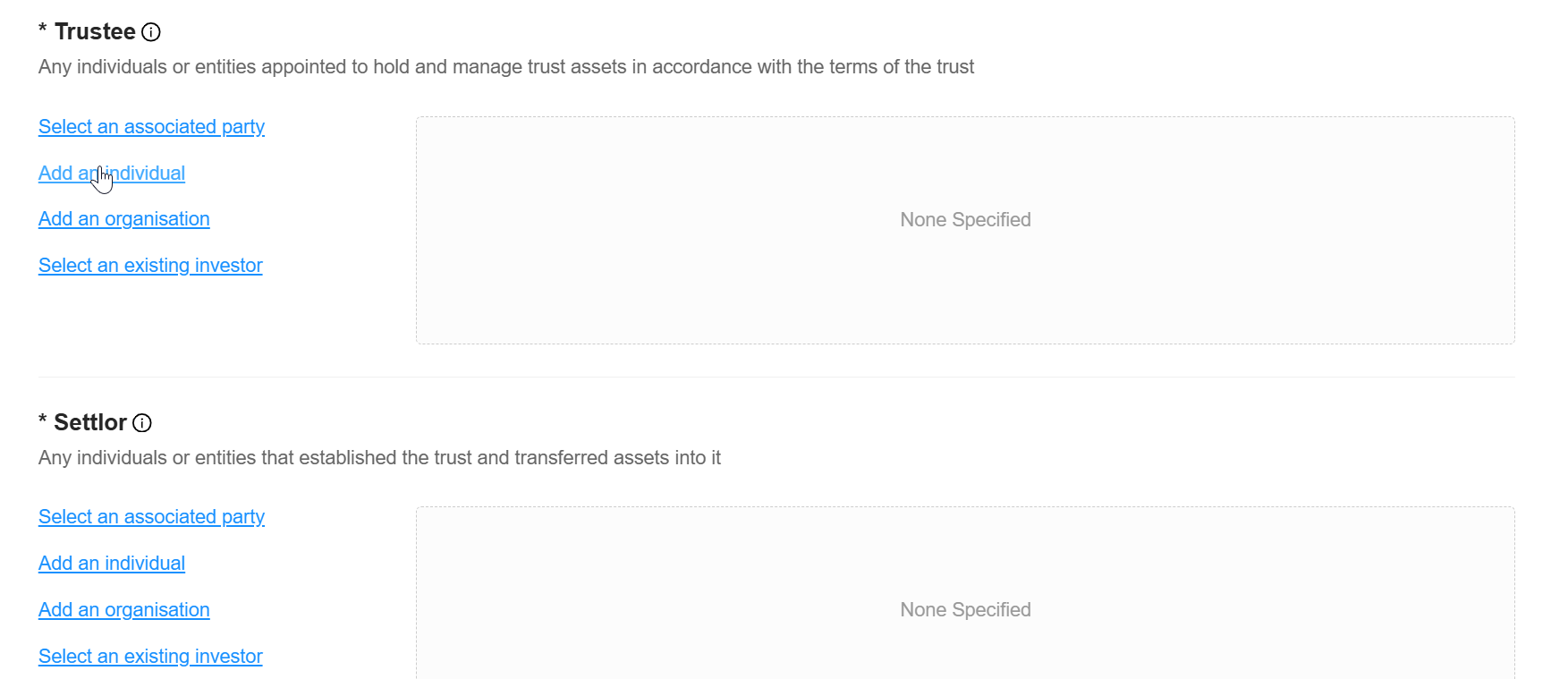
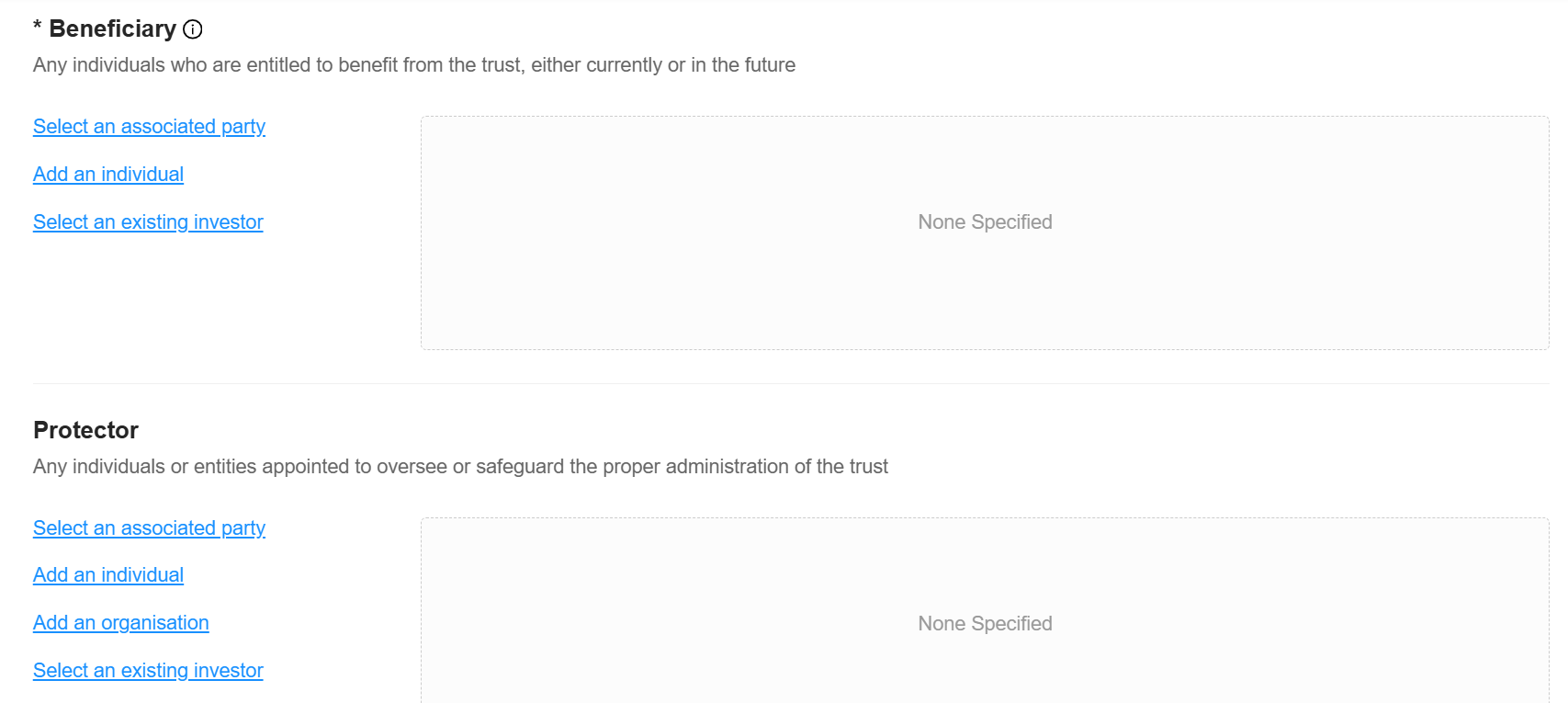
Then click back to Organisation Details:

AML Supporting Documentation – Trust and Corporate Matrix: Knowledge base
This article lists the various Trusts and Corporates, and the associated documentation which we require. (These will tie in with your own AML requirements as the IFA, so are likely to be readily available at the time you are opening the Trust or Corporate Account on the Portal.)
You can track our requests and progress status in the Admin Menu (Cog icon) , “Review Investor AML”:
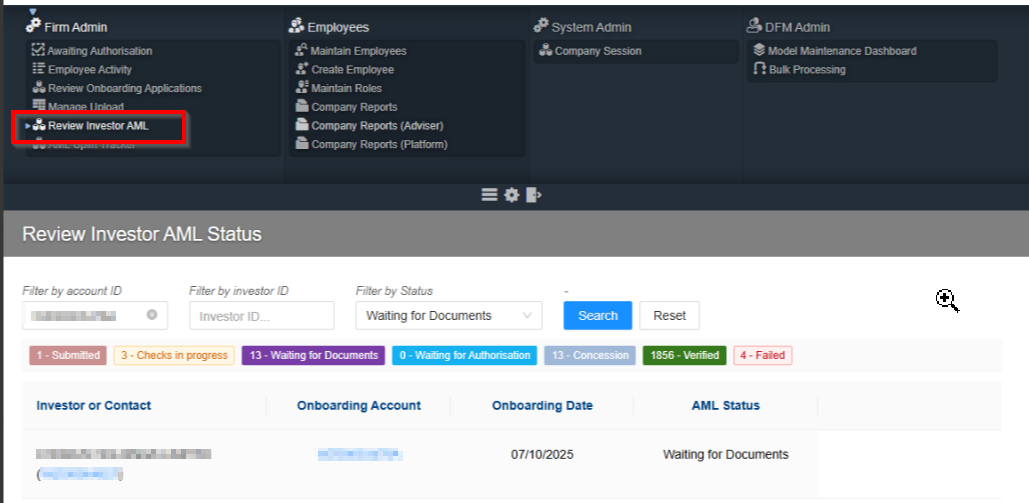
Once the Organisation Details sections are completed the system will run a Smart Search on the Associated Person(s):
Pass= No further action required (NFAR)
Fail= We will ask for ID&V (Identification and Verification)
Where an individual is only an Associated Person, they do not need a Customer Risk Assessment (CRA). So, for example if their only association with the Platform is being a Director of a Corporate, we do not ask for anything further.
Where they have another Account on the Platform, in their own name, we will need to run a CRA to identify whether they are:
Low Risk= NFAR
Medium Risk= ID&V
High Risk= ID&V and Source of Funds (SoF) evidence and the reason for the High Risk
The SoF here relates to their own investments.
(SoF is not required for Transfers-in or Employer SIPP contributions)
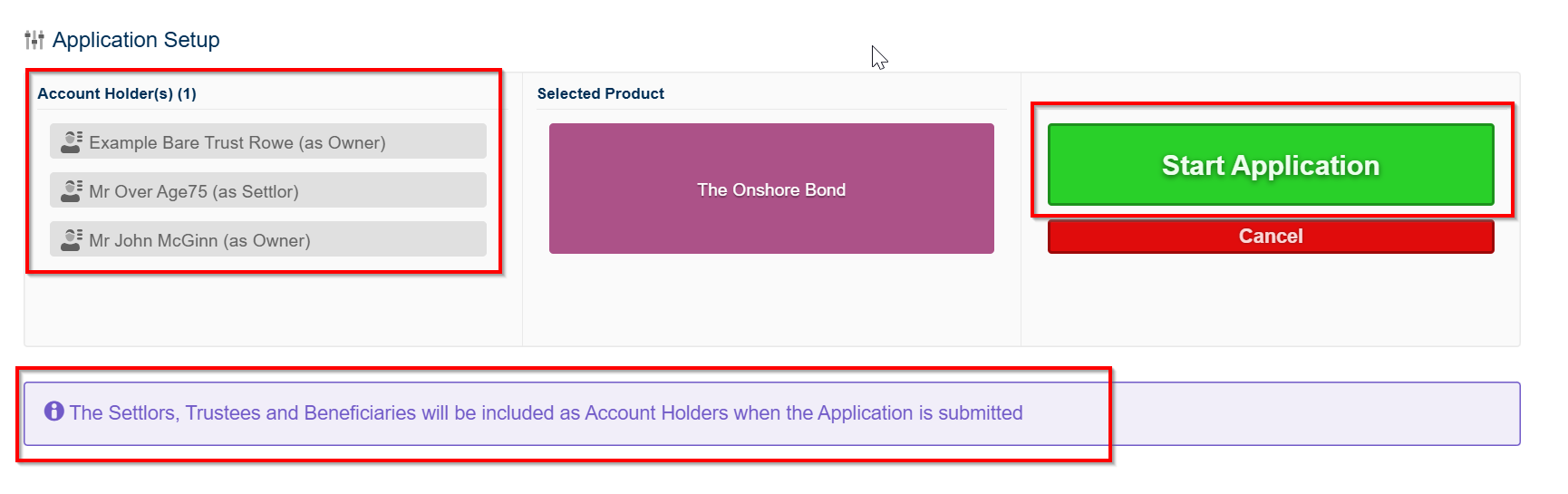
You can now open the Account/Wrapper as usual. You will see the Settlors, Trustees and Beneficiaries listed as you begin to follow the steps of the Account opening journey:
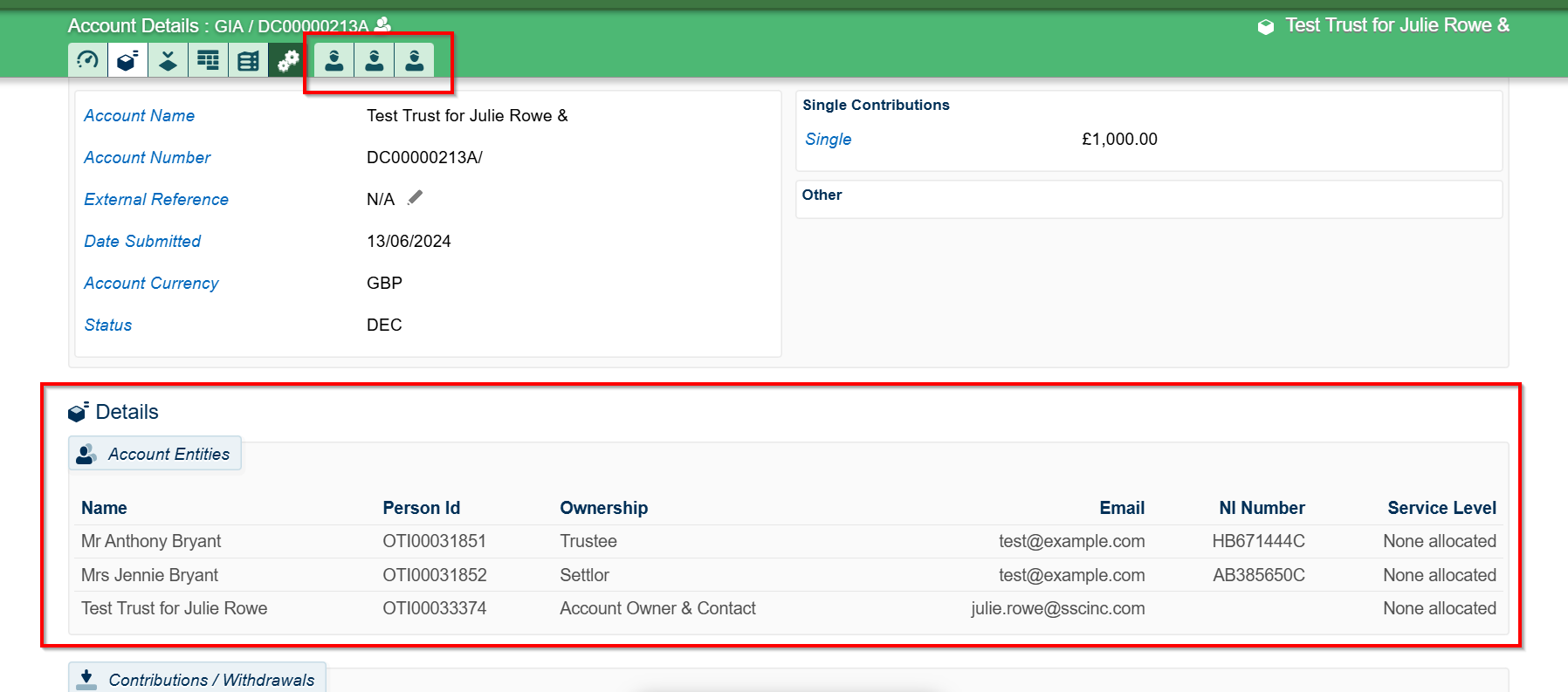
The associated Entities are also listed in the Account Details screen once the Account is open:
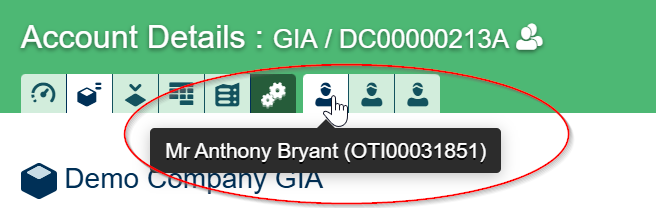
You can switch between the Entities by clicking on the person icons:
Please ensure that all the necessary Trust work is completed prior to opening an Investor Record and Account on the Portal. In that way you will have all the information you require to complete the Organisation Details sections.
If the beneficiary of a Bare Trust is under 18 then the NI number recorded should be that of the lead adult Trustee (the system does not require a NINO for a minor)
As Bare Trusts don’t have a legal personality, the trustees (or equivalent) are our customers (this could be the parents).
SS&C Platform Solutions need sight of the Trust Deed to validate the trustees (parents) to accept the payment from them.
We can link the bank account of the trustees who are named on the Bare Trust. We will need to verify them for ID&V purposes.
In summary: The Platform will be acting on instructions from the Trustees or Beneficiary at the appropriate times. The obligation to inform the Platform of any required action sits with the Trustees, whilst the child is under 18. The Trustees may elect to do this, or the Beneficiaries may request directly or via the trustees, once they are 18. The Platform does not hold an obligation to proactively identify that the beneficiary is now 18 and therefore has an irrevocable right to the asset.
Was this article helpful?
That’s Great!
Thank you for your feedback
Sorry! We couldn't be helpful
Thank you for your feedback
Feedback sent
We appreciate your effort and will try to fix the article