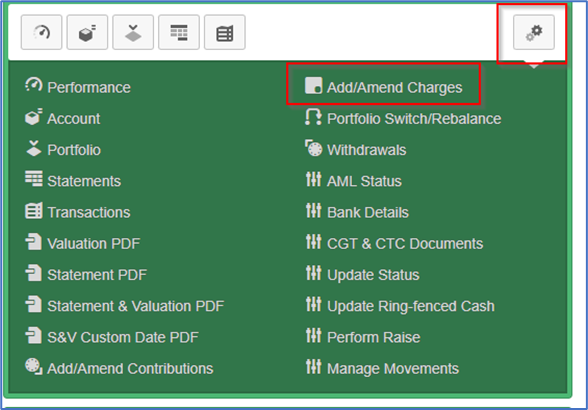
Locate the Add/Amend Charges function in the All-Account Actions dropdown in your investor’s account:
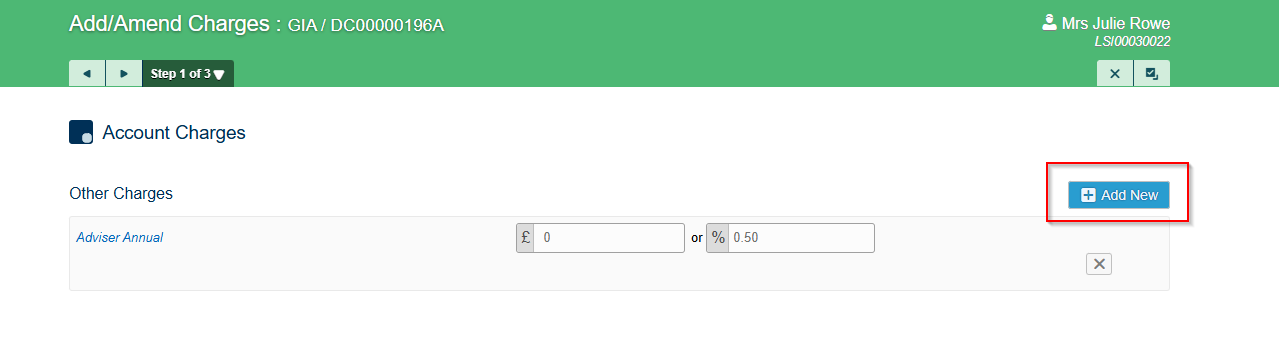
Select Add New:
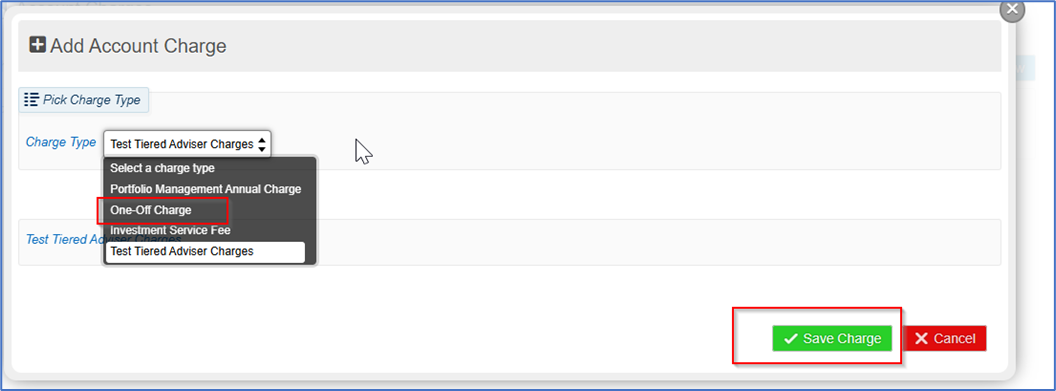
Select One Off Charge from the dropdown and click ‘Save Charge’:
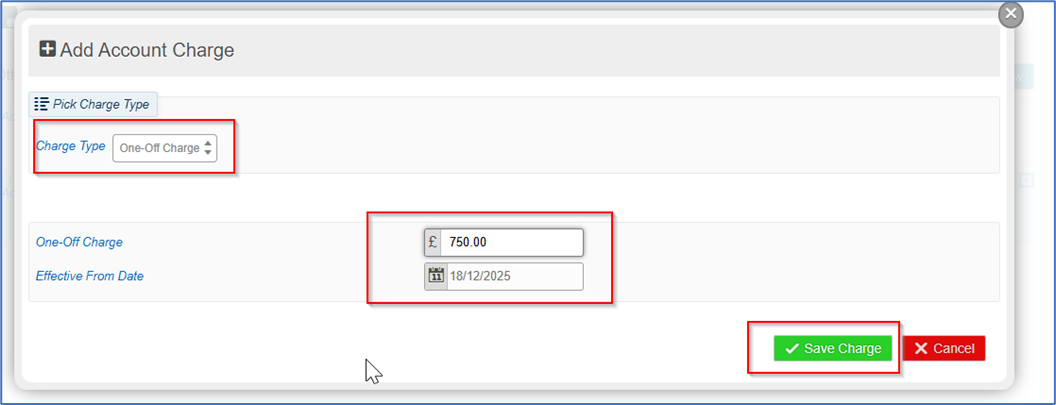
Select the ad hoc fee you wish to charge (£ only):
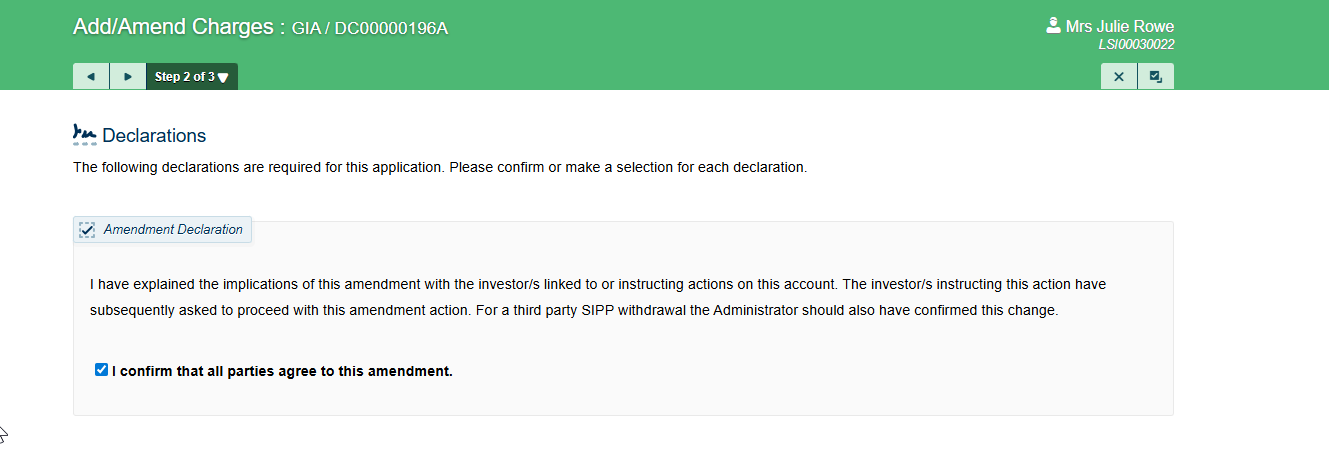
Tick the Declarations confirmation:
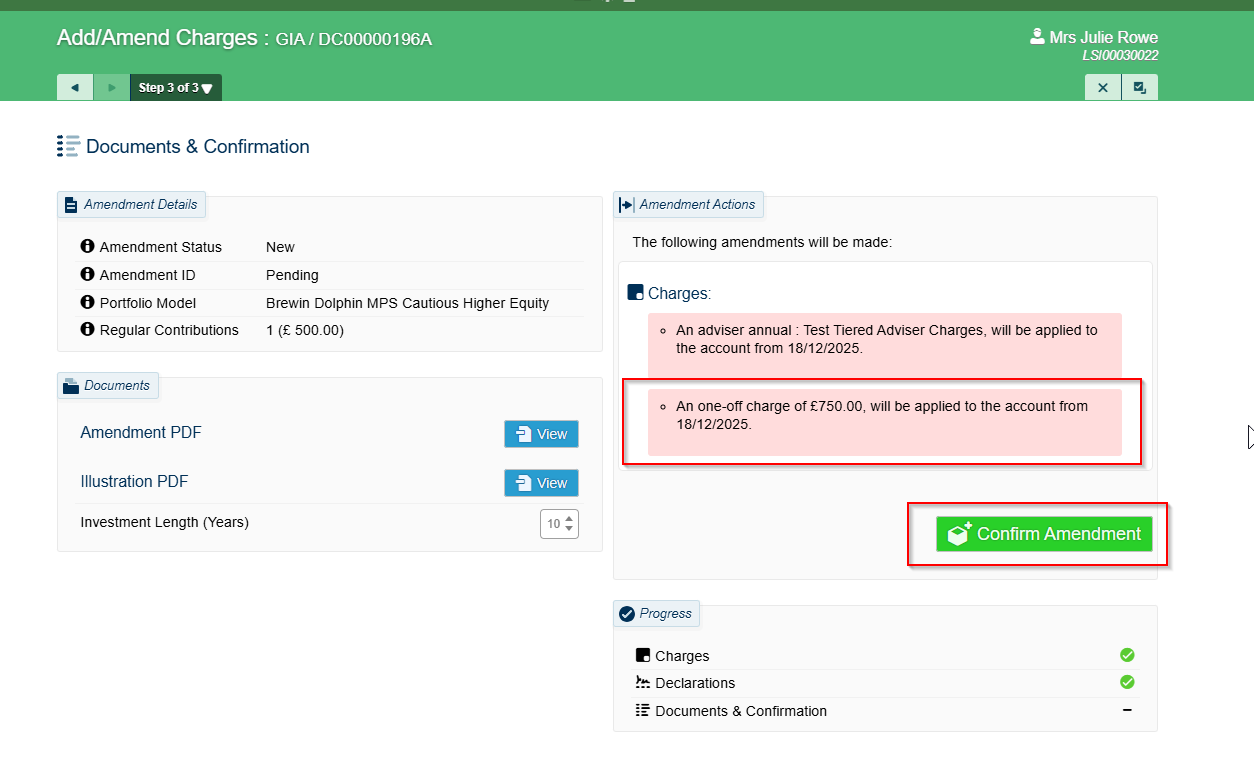
Click Confirm Amendment:
SS&C Platform Solutions pay initial and ad hoc fees on a Wednesday weekly. We have a Monday midnight cut-off point. Any cleared funds which are present prior to that deadline will be paid to your Firm’s bank account on Wednesday of that week. Ad hoc and initial fee breakdowns are presented in the Company Reports area of the Admin Menu on a Tuesday Night and are therefore able to be viewed first thing on a Wednesday morning.

Was this article helpful?
That’s Great!
Thank you for your feedback
Sorry! We couldn't be helpful
Thank you for your feedback
Feedback sent
We appreciate your effort and will try to fix the article