Update Ring-fenced Cash and Perform Raise functionality enables you to protect new cash from auto-investing.
Ring-fenced Cash sits in addition to the cash held back for the payment of fees and regular withdrawals, as calculated by the Buying Power Algorithm.
Ring-fencing does not stop a Regular Contribution from being invested, that will continue to work as a straight through process.
You can check the cash position at any time by looking at the “Portfolio Effect” screen within the “Portfolio Switch/Rebalance” action, “Rebalance the current model” (you do NOT need to complete this instruction- this is simply to view the cash position):
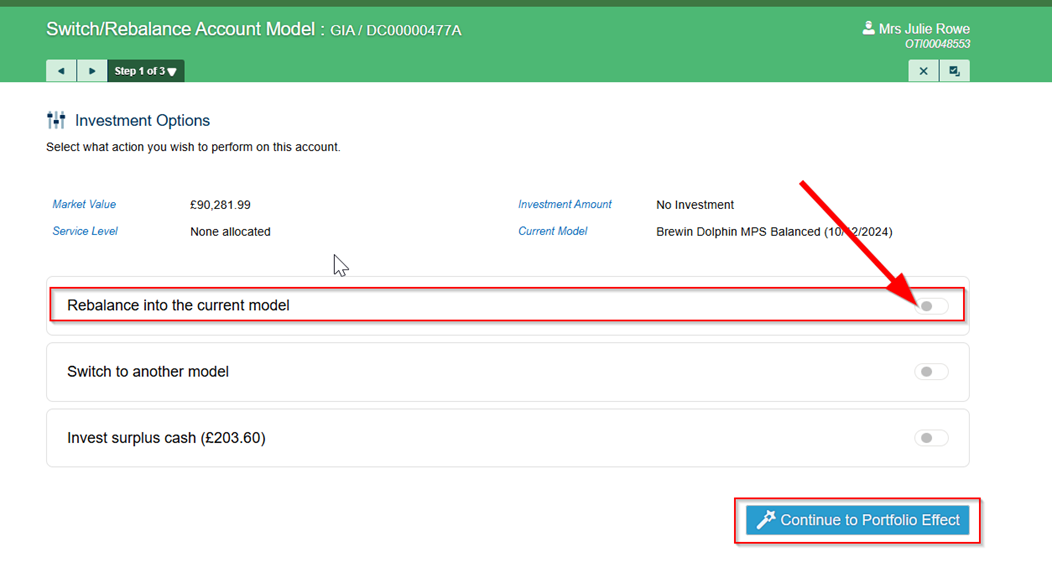
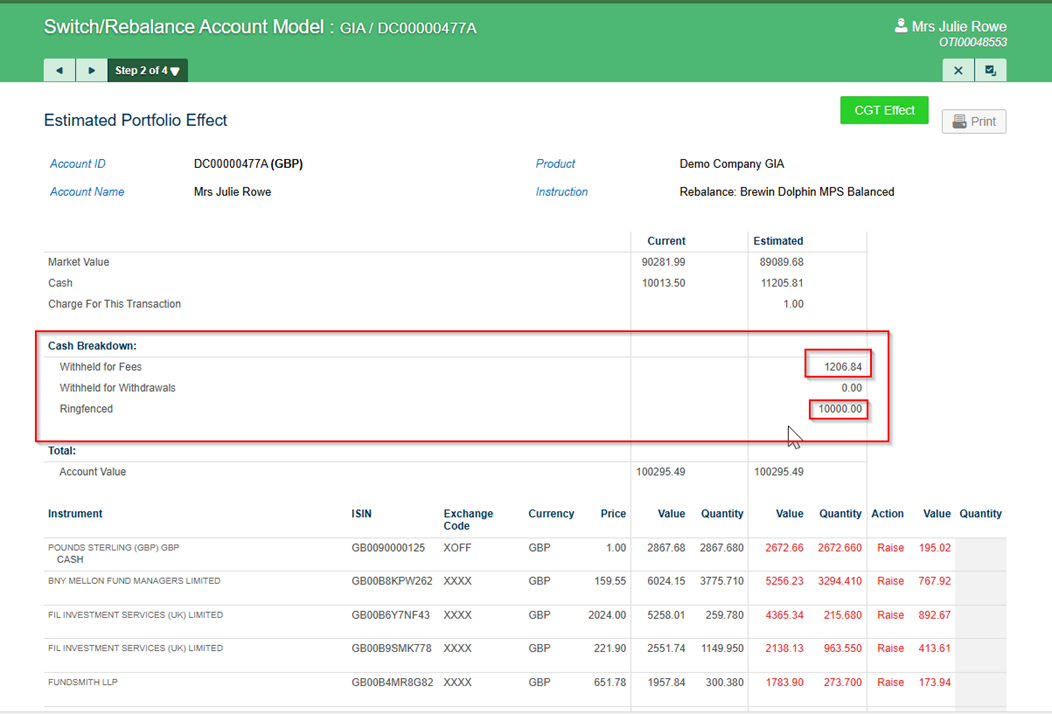
Instruct Update Ring-fenced Cash as soon as you know that the new money arriving is NOT to be wholly invested in the Market.
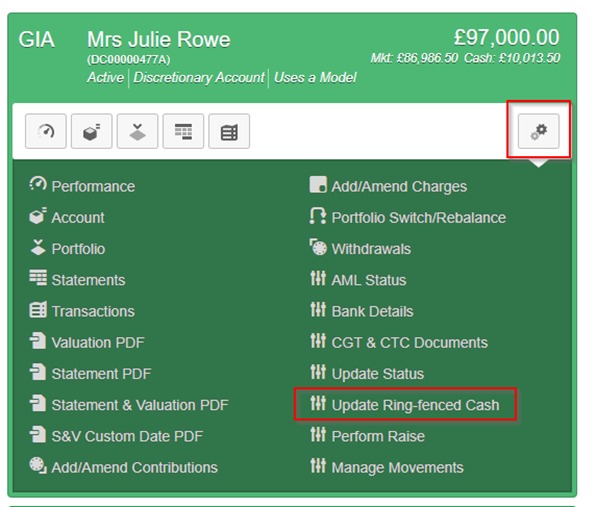
Click into the All-Account Actions (double cog icon) in the relevant Account and select Update Ring-fenced Cash:
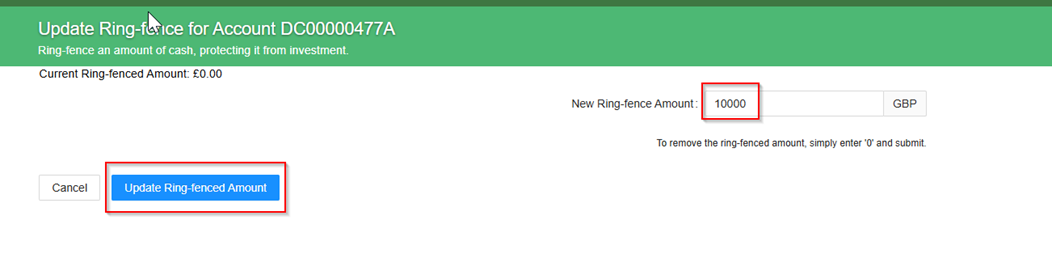
Type in the amount you wish to Ring-fence and click Update Ring-fenced Amount:
Click OK to confirm instruction:

The Firm Administrator can check all Ring-fenced Cash positions on the daily Ring-Fenced Cash report, which is found the Company Reports area of the Admin (Cog) Menu:

When you wish to remove the Ring-fence, you simply go into the function and change the amount to a lower amount, or back to zero.
Update Ring-fenced Cash does NOT instruct any trades, so when you remove the Ring-Fence you must then instruct Invest Surplus Cash which is found in the Portfolio Switch Rebalance function in the All-Account Actions dropdown:
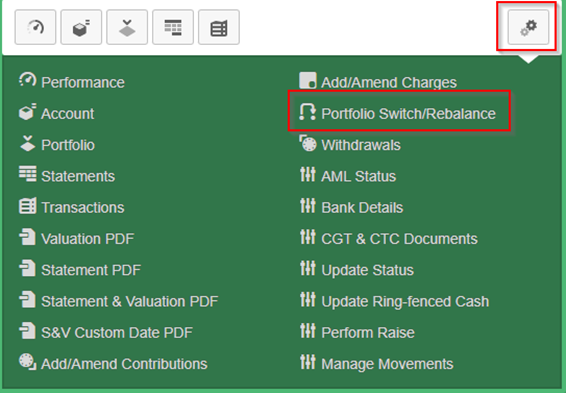
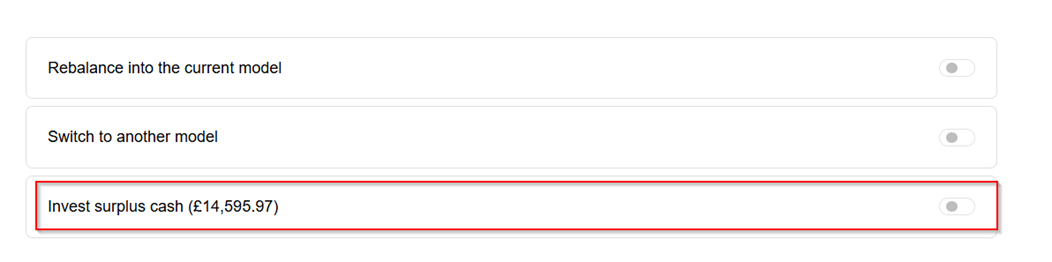
This will then ensure that the Account is fully invested in the Market, or that the correctly reduced Ring-fenced Cash amount is now held back.
*Note that ring-fenced cash can be used for fees and income where buying power cash has been exhausted and there has not been another trigger of buying power (rebalance/switch etc). A rebalance will replenish the ring-fenced cash amount plus the buying power cash would be restored, alternatively a Perform raised could be used to raise cash if a rebalance is not due. Please see Buying Power guide for further information.
Please refer to the Perform Raise (Proportional Sell) guide - Perform Raise (Proportional Sell ) : Knowledge base
Update Ring-fenced Cash must be used to protect the cash once it has been raised.
Was this article helpful?
That’s Great!
Thank you for your feedback
Sorry! We couldn't be helpful
Thank you for your feedback
Feedback sent
We appreciate your effort and will try to fix the article