How to use the Add/Amend Contributions functionality
This User Journey allows you to set the expectation of money arriving into the portal. If, when the money arrives, it matches this expectation then the system will invest the money- having calculated the cash hold back, using our “Buying Power” algorithm, and paid any initial fees.
Money can arrive in smaller tranches, and the system will continue to calculate the remaining expectation until the whole amount is received.
It is very important that we have an expectation on an account before any cash is sent to us. If any unexpected cash arrives then this will be handled as ‘Cash No Expectation’ and you will be notified and receive a report into the Company Reports area of the admin (cog) Menu. If the money has been sent from the nominated bank account and has the correct Account Identifier and is over £1,000, it will be applied to the Account and Ring-fenced awaiting your review. If you want the money to be invested, you must reduce the Ring-Fence to zero (where this has been applied) and instruct ‘Invest Surplus Cash’ via the ‘All-Account Actions’ (double cog icon) dropdown option “Portfolio Switch/Rebalance”.
There are Amendment and Illustration PDFs available to print if you need to obtain signatures. (We do not need to see signed copies.)
Electronic copies of the Amendment and Illustration PDFs are auto stored in the Document area of the Investor’s Record.
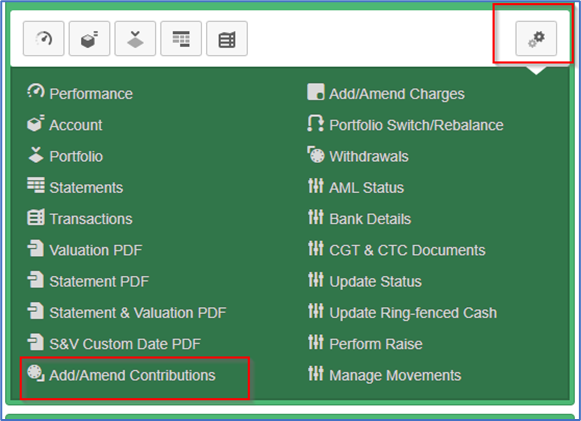
Add/Amend Contributions is found in the All-Account Actions (double cog icon) dropdown for each Account:
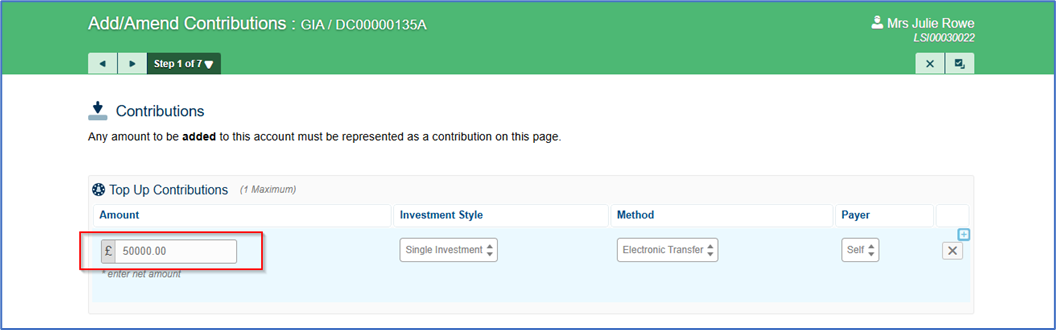
Follow the stepped User Journey to add the contribution:
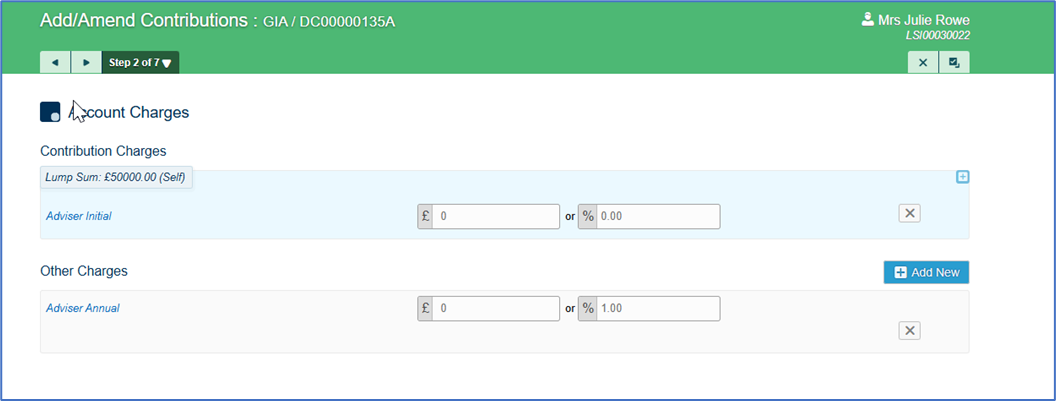
Confirm appropriate fees:
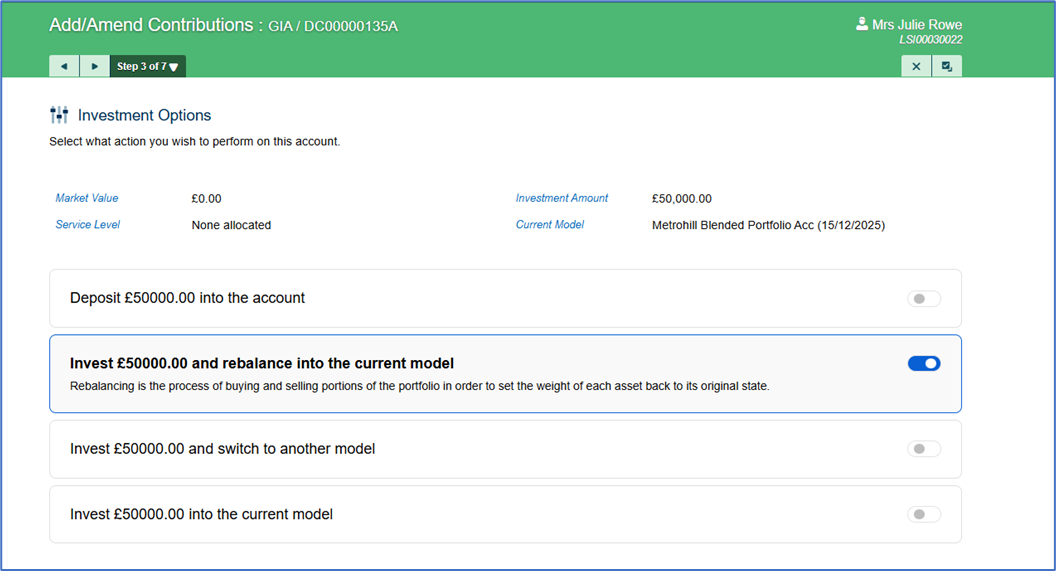
Choose Investment Options:
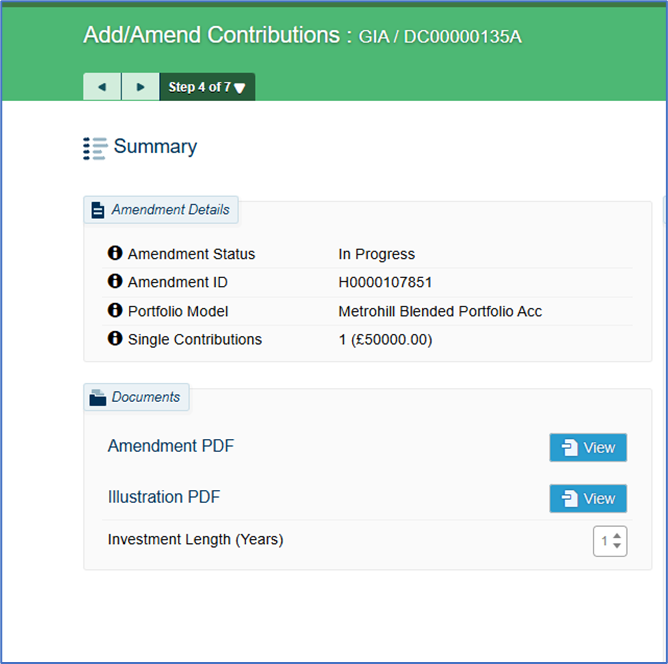
Pause at the mid-point Summary screen- where you can print or save the PDF outputs, OR continue to next step
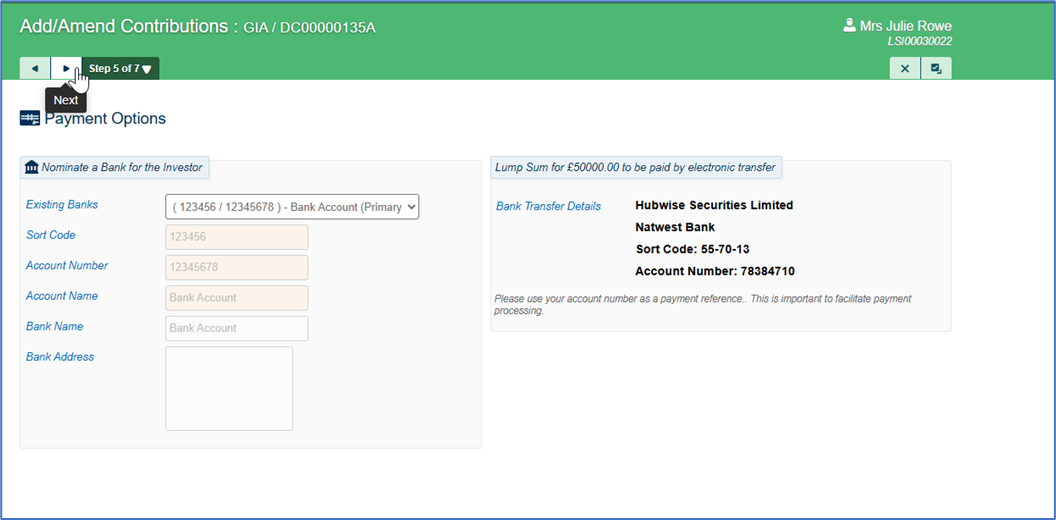
Confirm Payment Options:
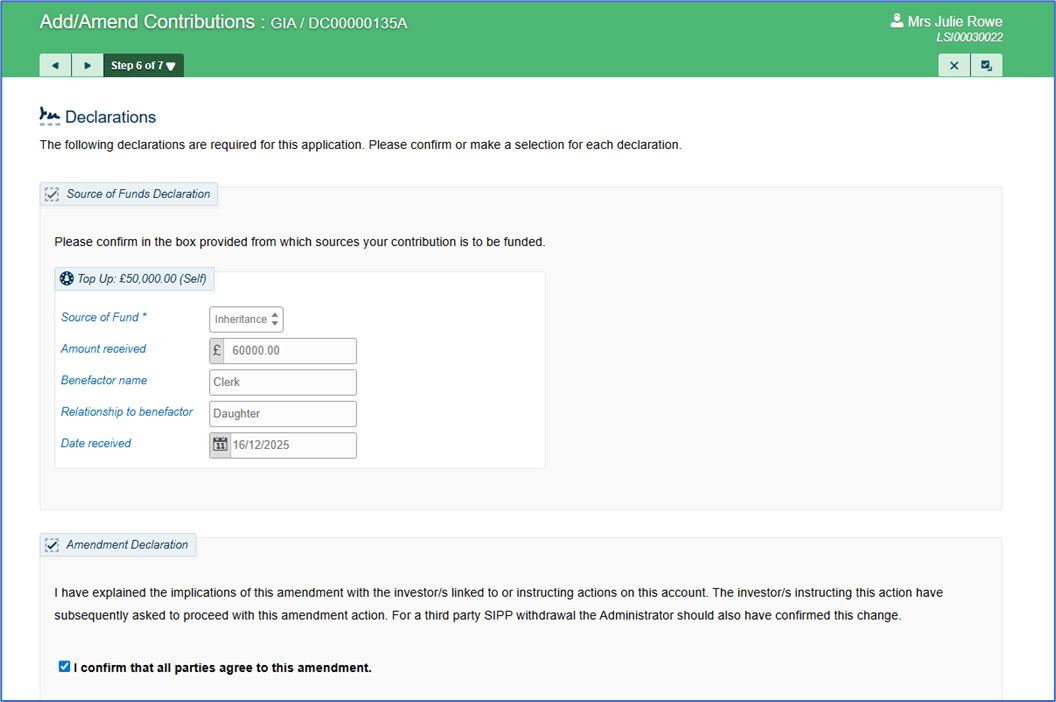
Complete the Declarations:
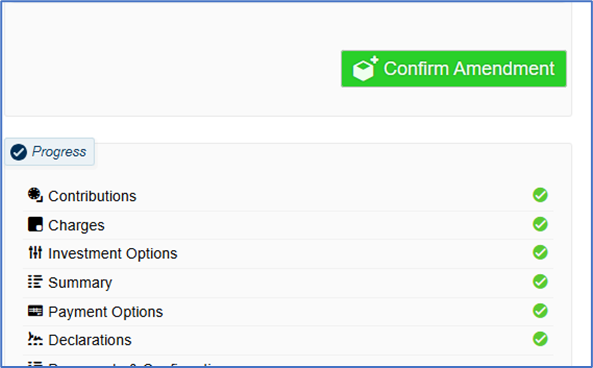
And finally Confirm Amendment:
Was this article helpful?
That’s Great!
Thank you for your feedback
Sorry! We couldn't be helpful
Thank you for your feedback
Feedback sent
We appreciate your effort and will try to fix the article